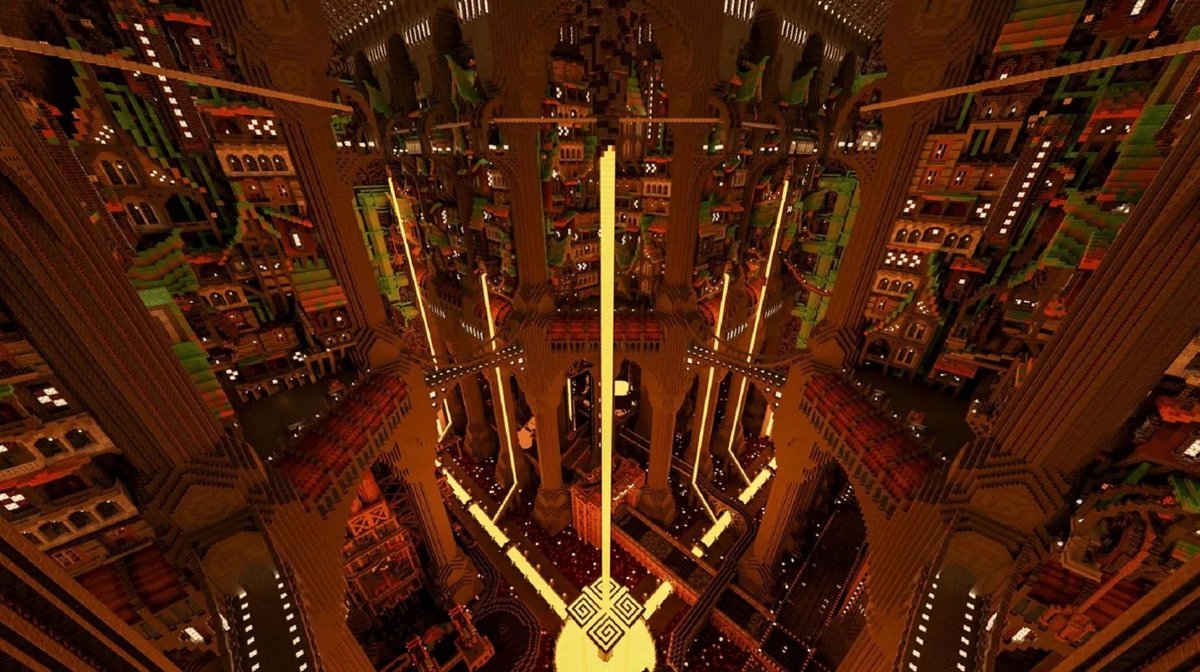
You've built your starter base, maybe even a cozy cottage, but now you crave more. You envision sprawling cities, intricate mechanisms, and breathtaking landscapes that transcend mere construction. This guide delves into the advanced Minecraft build design principles that separate casual builders from true architects, transforming your block-by-block efforts into cohesive, awe-inspiring masterpieces. It's time to move beyond survival necessity and unlock the artistic potential of your virtual world.
At a Glance: Mastering Advanced Minecraft Architecture
- Study Real-World Design: Draw inspiration from diverse architectural styles and natural wonders.
- Plan Diligently: Sketch, blueprint, and outline complex projects before laying a single block.
- Curate Your Palette: Experiment with block combinations for unique textures and visual depth.
- Shape the Landscape: Integrate builds seamlessly into varied terrain with meticulous planting and water features.
- Command Light: Use both natural and artificial light to sculpt mood, highlight features, and guide the eye.
- Embrace Redstone: Inject dynamic functionality and interactivity into your creations.
- Detail, Detail, Detail: Add character and realism through thoughtful decoration and unconventional block use.
- Think Vertically: Utilize both sky and subterranean spaces to add new dimensions to your builds.
- Collaborate and Grow: Work with others, learn from the community, and accept that mastery is a journey of patience.
The Architect's Mindset: Beyond the Block-by-Block
Before you even touch a pickaxe, the most crucial tool you possess is your mind. Advanced building isn't just about placing blocks; it's about envisioning space, understanding aesthetics, and solving complex design challenges.
Architectural Fundamentals: The Unseen Scaffolding of Design
Every stunning build, whether a colossal castle or a sleek skyscraper, rests on fundamental architectural principles. Don't just build what looks good; understand why it looks good.
- Symmetry and Asymmetry: While symmetry offers a sense of balance and grandeur, strategic asymmetry can introduce dynamic interest and a more organic feel. Learn when to break perfect mirror images to create focal points or tell a story.
- Proportion and Scale: How big should that window be compared to the wall? What's the right roof height for your structure? Mastering proportion means understanding the relationship between elements, ensuring your build doesn't feel stretched or squashed. Scale, on the other hand, dictates how your build relates to the player and the environment – a towering gothic cathedral needs to feel massive.
- Space and Flow: Consider how players will move through and around your build. Are pathways clear? Do rooms feel cramped or open? Thoughtful design guides player experience, enhancing immersion. This is where studying diverse architectural styles, from the imposing medieval fortress to the clean lines of modern minimalist structures, truly pays off.
Real-World Inspirations: Your Infinite Reference Library
Minecraft allows for boundless creativity, but the real world offers an unparalleled wellspring of authenticity. Don't limit yourself to fantasy tropes; look around.
- Natural Wonders: Mimic the organic flow of a canyon, the tiered structure of a mountain range, or the delicate balance of a forest ecosystem. How can you translate the majesty of a waterfall into block form?
- Architectural Marvels: From the intricate details of a Roman aqueduct to the elegant curves of a modern museum, real-world landmarks provide concrete examples of how form meets function. Keep a folder of reference images – Pinterest boards, Google Image searches – to guide your construction, helping you translate complex shapes and textures into your block palette. You might be surprised how a detail from a Parisian apartment building can inspire a Minecraft build feature.
Planning Your Grand Vision: The Blueprint for Success
For anything beyond a simple shed, winging it often leads to frustrating rebuilds. Advanced projects demand meticulous planning. This isn't about stifling creativity; it's about creating a roadmap to bring your most ambitious ideas to life efficiently.
- Sketching Your Ideas: Grab a pen and paper. Doodle different angles, experiment with layouts, and conceptualize the overall shape. This quick, low-stakes method allows for rapid iteration of ideas before committing to blocks.
- Minecraft Planning Tools: For larger, more complex builds, leverage digital tools. Programs like WorldEdit (in-game or external), Litematica, or even simple block-counting apps can help you visualize and plan. You can lay out basic structures, test dimensions, and even calculate material lists long before mining your first cobblestone. When you're ready to dive into the technicalities, Explore Minecraft build blueprints that offer detailed schematics and material breakdowns. These resources are invaluable for understanding how others approach complex designs.
- Outline and Dimensions: Define the basic footprint and maximum height/width of your structure. This acts as a constraint, guiding your design within manageable parameters and ensuring it fits its chosen location.
Mastering Your Materials: The Art of the Block Palette
Minecraft has an ever-growing array of blocks, each with unique textures, colors, and properties. Advanced builders don't just pick blocks they like; they orchestrate a symphony of materials.
Strategic Block Choices: Beyond Stone and Wood
Your block palette is your canvas. The way you combine materials can drastically alter the perception of your build.
- Texture and Contrast: Avoid monochrome builds. Introduce variety by pairing rough textures (cobblestone, mossy stone) with smooth ones (polished diorite, quartz). Use contrasting materials to create depth and highlight different sections. For instance, a dark oak beam against a light birch wall creates immediate visual interest.
- Environment and Theme: A desert oasis will naturally use different blocks than a frozen tundra fortress. Let your environment dictate core material choices, then introduce complementary blocks that enhance your chosen theme – whether it's rustic, futuristic, magical, or industrial. Think about how colors interact; warm tones might make a space feel inviting, while cool tones can create a sense of mystery or grandeur.
- Gradients and Blending: To make transitions between materials feel natural, especially in terrain or large walls, use gradients. Start with one block type, gradually mix in another, and then fully transition. For example, blending stone bricks into regular stone, then into gravel and dirt at the base of a ruined wall.
Detailing and Decoration: The Soul of Your Creation
Details are where builds truly come alive. They add character, realism, and a sense of history or purpose. This is where you elevate a structure from functional to fascinating.
- Furniture and Fixtures: Don't just place a block for a table. Use stairs, slabs, and trapdoors to craft intricate chairs, shelves, and more. Beds can be framed with different woods; enchanting tables can be adorned with decorative blocks.
- Mimicking Real-Life Objects: Think unconventionally. An item frame with a specific block can become a wall clock. Iron bars can form a fence or a window grate. Armor stands can become mannequins. Cauldrons with water can be sinks, or even bathtubs when combined with stairs. The possibilities are endless if you look beyond a block's primary function.
- Adding Wear and Tear: For older or abandoned structures, incorporate cracked stone bricks, mossy cobblestone, or even strategically placed vines to suggest age and decay. This tells a story and grounds your build in its supposed timeline.
Crafting Immersive Environments
A truly masterful Minecraft build doesn't just sit on the landscape; it is the landscape. Integrating your structures into a believable, vibrant environment is key to immersion.
Landscaping for Depth: More Than Just Flattening
Your build's surroundings are as important as the build itself. Good landscaping elevates the entire scene.
- Terrain Alterations: Don't be afraid to reshape the land. Create hills, valleys, cliffs, or gentle slopes that complement your build. A structure nestled into a hillside feels more integrated than one simply placed on a flat plane.
- Variety of Foliage: Use a diverse range of plants and trees. Vary tree heights, leaf types, and wood colors. Incorporate bushes, flowers, grass, and even tall grass strategically. Avoid uniform rows; mimic the natural chaos of a real forest or garden.
- Water Features: Lakes, rivers, ponds, and custom waterfalls add dynamic beauty. Consider how water flows, where it originates, and how it interacts with the land. Clear water can reveal hidden depths, while murky swamps add atmosphere. Even a simple well or fountain can be a captivating focal point.
Harnessing Light to Set the Mood: Sculpting with Illumination
Light is a powerful, often overlooked, design tool. It can highlight features, create drama, and drastically alter the mood of a space.
- Light Sources and Placement: Experiment with a variety of light sources: torches, lanterns, glowstone, sea lanterns, shroomlights, even lava (carefully!). Place them to cast interesting shadows, illuminate pathways, or draw attention to architectural details.
- Natural Light Integration: Design windows, skylights, and open spaces that allow natural sunlight and moonlight to stream in. Consider how the sun will move throughout the day and how that will change the appearance of your interior spaces.
- Ambient Lighting: For interiors, diffuse lighting can create a cozy, warm atmosphere, while darker, more localized lighting can evoke mystery or solemnity. Redstone lamps can be controlled to change brightness or even color (with texture packs), offering dynamic lighting solutions.
Embracing Verticality: New Dimensions of Creativity
Minecraft is a 3D world, yet many builds remain largely flat. True advanced design leverages the Z-axis, building both upwards and downwards.
- Building Upwards: Construct towering skyscrapers that pierce the clouds, multi-tiered castles with intricate ramparts, or floating islands connected by aerial bridges. Verticality adds grandeur and a sense of scale, challenging you to manage perspective and maintain detail at different elevations.
- Digging Downwards: Explore the depths. Design underground cities, sprawling cave systems, hidden bunkers, or elaborate dungeon complexes. These subterranean spaces offer unique opportunities for lighting, enclosed environments, and a sense of discovery. Combining vertical elements – a towering above-ground structure with a sprawling subterranean complex – creates a truly rich and multifaceted world.
Injecting Life: Functionality and Flair
Beyond static beauty, advanced builds can hum with activity and purpose. This is where the magic of Redstone comes in.
Redstone Mechanics: The Pulse of Your Creation
Minecraft's electrical circuitry, Redstone, allows you to add dynamic functionality and interactivity, making your builds not just pretty, but truly engaging.
- Automatic Systems: Think beyond simple doors. Implement automated farms that collect crops, complex lighting systems that turn on at night, or even sophisticated sorting mechanisms for your storage rooms.
- Interactive Features: Design secret entrances, traps, minigames, or elaborate display cases that open with the flick of a lever. Redstone can bring your structures to life, offering a layer of practical engagement for players.
- Learning the Fundamentals: Start with basic circuits – switches, levers, pressure plates, and redstone dust. Gradually introduce repeaters, comparators, pistons, and observers. There are countless online tutorials and communities dedicated to Redstone, providing a steep but rewarding learning curve.
Expanding Your Horizons: Tools, Teamwork & Tenacity
No architect works in a vacuum. Advanced Minecraft building is a journey that benefits immensely from continuous learning, leveraging resources, and collaboration.
Exploring Build Styles: Broaden Your Repertoire
Don't get stuck in a rut building the same type of structure. Push your boundaries.
- Historical Themes: Recreate ancient Roman villas, medieval European villages, or even pre-colonial Mesoamerican pyramids. Each style brings unique design challenges and aesthetic rewards.
- Futuristic Visions: Experiment with sleek, minimalist designs, towering sci-fi cities, or complex industrial complexes. These often require innovative block combinations and a strong sense of geometric form.
- Fantasy Worlds: From elven tree cities to dwarven underground fortresses, fantasy allows for unbound imagination, often blending natural elements with intricate, magical architecture. The more styles you explore, the more versatile and adaptable your building skills become.
Leveraging Mods and Community Resources: Building Smarter
The Minecraft community is a goldmine of tools and inspiration that can significantly enhance your building process.
- Mods: Tools like WorldEdit allow for rapid block placement, terrain shaping, and structural manipulation, saving countless hours on large projects. Litematica helps you paste schematics or build from holographic projections.
- Texture Packs: Custom texture packs can dramatically alter the visual appeal of your blocks, offering new artistic possibilities and allowing you to achieve specific aesthetics not possible with vanilla textures.
- World Templates and Schematics: Download and study existing masterful builds. Analyze their construction, block choices, and design principles. This is like reverse-engineering greatness and a fantastic way to learn new techniques and shortcuts. These resources don't just enhance efficiency; they open up new functionalities and creative avenues.
The Power of Collaboration: Building Bigger, Better Together
Some of the most incredible Minecraft creations are the result of teamwork. Don't be afraid to reach out and build with others.
- Large-Scale Projects: For truly monumental builds, collaboration is almost a necessity. Dividing tasks, sharing ideas, and leveraging diverse skill sets can bring a project to completion that would be impossible alone.
- Diverse Ideas: Each builder brings a unique perspective and style. Collaborative projects often lead to more innovative and richer designs than solo efforts.
- Community Engagement: Join building servers, participate in design challenges, and engage with online communities. This not only offers opportunities for collaboration but also provides invaluable feedback and learning experiences, enriching the entire building process.
The Unseen Ingredient: Patience & Persistence
Advanced building isn't a destination; it's a continuous journey of learning, experimenting, and refining. There will be frustrating moments, ugly prototypes, and designs that just don't work.
- Embracing the Process: Recognize that developing advanced building skills takes time, practice, and persistence. Every project, successful or not, is a learning opportunity. Analyze what worked, what didn't, and why.
- Iterate and Improve: Don't be afraid to demolish and rebuild. Sometimes the best way forward is to scrap an idea that isn't working and start fresh with lessons learned.
- Find Your Joy: Ultimately, Minecraft building should be fun. Allow yourself to experiment, make mistakes, and celebrate the small victories. The satisfaction of seeing your grand vision come to life, block by painstaking block, is the true reward.
Your Next Block-by-Block Masterpiece Awaits
You now have the principles, the mindset, and the tools to elevate your Minecraft builds from functional structures to architectural wonders. The journey to becoming a master builder is ongoing, filled with endless possibilities and new challenges. Start small, apply these advanced design principles, and watch as your creations evolve. What will you build next? The only limit is your imagination.