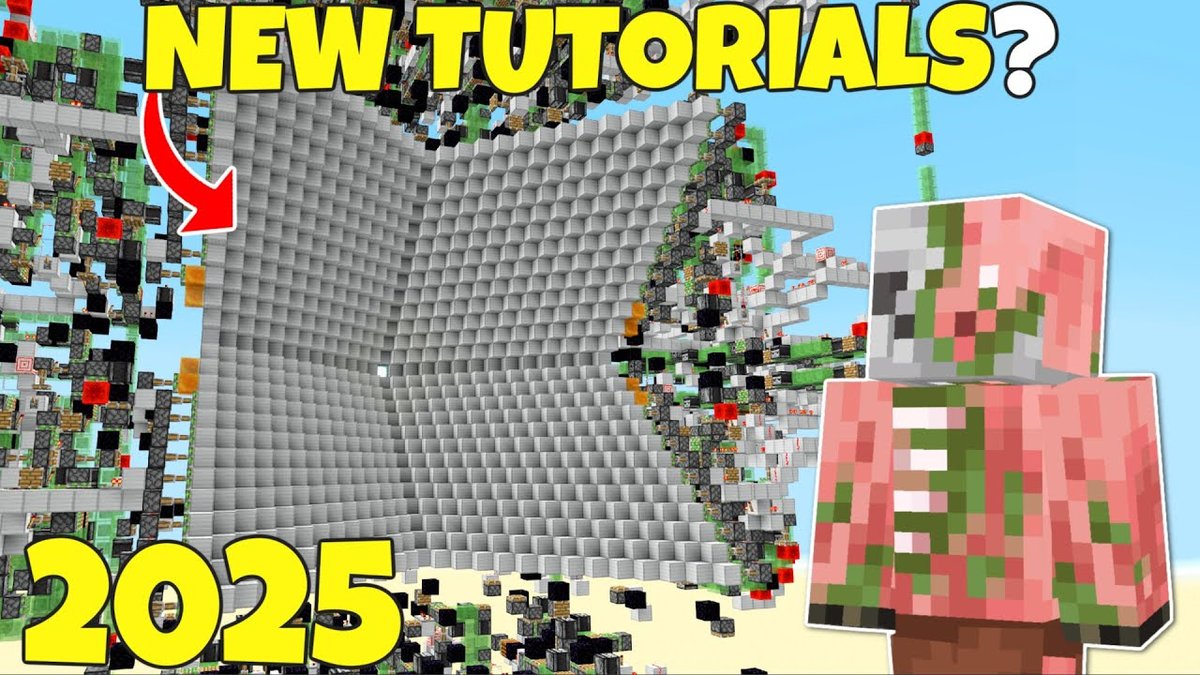
The hum of a meticulously crafted sorting system, the rhythmic thunk of a perfectly timed piston, the sheer satisfaction of an automated farm churning out resources—these are the hallmarks of a master builder in Minecraft's technical landscape. If you've ever dreamt of supercharging your survival world with incredible contraptions but felt overwhelmed by the redstone spaghetti, then diving into Redstone & Technical Minecraft Blueprints is your next logical step. These pre-designed plans and schematics offer a shortcut to sophisticated automation, transforming complex ideas into achievable projects.
At a Glance: Powering Up with Blueprints
- What are Blueprints? Pre-designed plans, schematics, and guides for advanced Redstone and technical Minecraft builds.
- Why Use Them? Save time, learn complex mechanics, achieve efficiency, and enjoy sophisticated automation without starting from scratch.
- Where to Find Them: Community hubs like Planet Minecraft, Minecraft-Schematics.com, YouTube tutorials, and dedicated forums.
- Key Build Types: Automated farms (XP, mob, crop), sophisticated storage systems, automated crafting, and specialized contraptions.
- Implementing Blueprints: Often involves schematic files (for tools like Litematica) or detailed step-by-step instructions.
- Common Pitfalls: Version incompatibility, resource management, and debugging.
- Beyond Copying: Blueprints are launching pads for understanding, customization, and your own innovation.
The Secret Language of Redstone: A Quick Primer
Before you start dropping schematics into your world, a basic grasp of redstone is incredibly helpful. Think of redstone as Minecraft's electrical wiring. It transmits power, activates blocks, and allows for complex logic. Components like repeaters extend signals, comparators measure item quantities, observers detect block changes, and pistons move blocks.
Understanding how these basic elements interact is crucial, not just for building from blueprints, but for troubleshooting and eventually, modifying them to fit your specific needs. You don't need to be a redstone wizard to use blueprints, but having a foundational understanding will significantly enhance your experience and problem-solving abilities. If you're looking to truly master the redstone fundamentals, there are excellent resources available to guide you.
What Exactly Are "Blueprints" in Technical Minecraft?
In the world of technical Minecraft, "blueprints" take on several forms, each serving a slightly different purpose:
- Schematic Files: These are digital blueprints, often
.schemor.nbtfiles, that contain the exact block-by-block layout of a build. Tools like Litematica or WorldEdit allow you to load these files into your game, providing a transparent overlay or instant placement. This is the closest you'll get to a traditional "blueprint" in Minecraft. - Step-by-Step Tutorials: Usually found on YouTube or dedicated build sites, these guides break down complex builds into manageable steps. They often include material lists, placement instructions, and visual demonstrations.
- World Downloads: Some creators offer entire world saves with their contraptions pre-built. This allows you to explore the build firsthand, reverse-engineer it, and even copy-paste it into your own world using structure blocks or similar tools.
- Diagrams and Material Lists: Simpler builds might just come with a detailed diagram and a list of required materials, leaving you to piece it together manually.
Regardless of the format, the goal is the same: to provide a clear, replicable path to building a sophisticated technical contraption that would otherwise require immense trial and error.
Navigating the Blueprint Galaxy: Finding Your Next Project
The sheer volume of redstone and technical Minecraft blueprints available can be daunting. Knowing where to look and what to prioritize is key.
Trusted Sources for Blueprints:
- Planet Minecraft: This is a colossal hub for all things Minecraft, including a vast "Redstone" category where creators often upload their projects with downloadable schematics. You can filter by tags, versions, and popularity to find exactly what you need.
- Minecraft-Schematics.com: As its name suggests, this site specializes in schematic downloads, offering a dedicated "Redstone" category. You'll find a diverse range of creations here, from compact farms to elaborate laboratories.
- YouTube: Many technical Minecraft creators dedicate their channels to showcasing and providing tutorials for their builds. Search for specific farm types (e.g., "AFK Sweet Berry Farm 1.20"), and you'll likely find several options. Look for creators known for their clear explanations and reliable builds.
- Dedicated Forums and Discord Servers: Communities like the SciCraft or Hermitcraft fan discords often share builds and expertise, sometimes with schematic downloads or detailed explanations.
What to Consider When Choosing a Blueprint:
- Minecraft Version: This is paramount. A redstone contraption designed for 1.16 may not work correctly, or at all, in 1.20 or 1.21 due to block updates, bug fixes, or changes in redstone mechanics. Always check the specified version.
- Resource Requirements: Does the blueprint demand rare resources like diamonds, netherite, or vast amounts of slime blocks? Plan your gathering efforts accordingly.
- Footprint & Location: How much space does the build require? Will it fit in your base, or do you need to designate a special area? Consider proximity to spawn chunks or other critical areas for optimal performance.
- Complexity Level: Is it an entry-level sugarcane farm, or a multi-layer ultra-raid farm? Be honest about your comfort level and existing redstone knowledge.
- Creator Reputation: Is the blueprint from a well-known, respected technical Minecraft builder? Their builds are generally more reliable and well-tested.
- Efficiency & Purpose: What are you trying to achieve? An XP farm, a high-yield crop farm, or an advanced storage solution? Match the blueprint to your specific goals.
The Workhorses: Essential Redstone & Technical Builds
Let's dive into some of the most sought-after categories for technical Minecraft blueprints, drawing from examples you might find in the community.
1. Automated Farms: Resources on Demand
Farms are arguably the most common application of technical Minecraft blueprints. They leverage redstone to automate the collection of everything from food to rare drops.
- Crop & Plant Farms:
- Best Sugarcane Farm / Simple Sugarcane Farm: Often uses observers to detect growth and pistons to break stalks, pushing them into a collection system. These are typically simple, efficient, and great for early-game paper/rocket production.
- Bamboo Farm: Similar to sugarcane, bamboo farms automate the harvesting of this versatile plant, useful for fuel, scaffolding, and stick production.
- AFK Sweet Berry Farm: A clever design that typically uses foxes to harvest berries, funneling them into chests while the player remains nearby. A fantastic source of early-game food and dye.
- Auto Wool Farm (All Colors): Utilizes observers to detect sheep eating grass, triggering dispensers to shear them, with wool collected via hoppers. You can build one for each dye color!
- Mob & XP Farms:
- Ultra Raid Farm + Bad Omen Auto Farm: These are endgame contraptions designed for massive experience and item drops (emerald, totems, saddles). They typically involve complex redstone to manage villager placement, raid triggering, and mob routing. A "Granja Raid Manual" (manual raid farm) or a simpler "Raid Simple" blueprint might be more approachable for intermediate players.
- Cobblestone Generator Farm: While simple, an automated cobblestone generator with pistons and lava/water can feed an auto-smelter or a stone farm, providing infinite building blocks.
- Specialized Farms:
- TripWire Duper: An advanced exploit that leverages game mechanics to duplicate tripwire hooks, often used in other complex contraptions. This falls into a more technical, expert-level category.
- Potions Laboratory: Not a "farm" in the traditional sense, but a highly automated brewing station that uses redstone to dispense ingredients and manage brewing stand operations, making potion production a breeze.
2. Storage & Logistics: Taming Your Inventory
As your world grows, so does your loot. Efficient storage systems are paramount.
- Mega Main Storage: Blueprints for large-scale, often multi-level, storage systems capable of holding every item in the game. These are complex projects, often involving sophisticated sorting, overflow management, and accessible interfaces.
- Automatic Stock Sorter and Filler: These systems automatically sort incoming items into designated chests and can even refill specific output chests (like furnaces with fuel or dispensers with arrows). They are key for maintaining organized and self-sufficient bases.
- Simple Redstone Block Pallet: While seemingly basic, a redstone block pallet can be a compact way to activate various redstone lines or create programmable sequences, acting as a control panel for other systems.
3. Utility & Novelty: Beyond Pure Efficiency
Redstone isn't just for efficiency; it's also for fun and clever utility.
- "Feliz Navidad" on Note Blocks: A classic example of redstone used for musical compositions. Blueprints for note block songs can be incredibly intricate, requiring precise timing and pitch.
- Collin's Peral Room: While the specific nature of this might vary, it sounds like a custom-designed utility room, perhaps an automated ender pearl launcher or a specific transport system. These personalized builds showcase creative redstone applications.
- Simple Redstone Block Pallet: Can also be used for quick redstone logic demonstrations or simple light switches, demonstrating basic control.
When looking to build more efficiently, remember that building efficient farms is often about more than just raw output; it's also about compactness and resource usage.
From Blueprint to Block: Implementing Your Chosen Design
Once you've selected a blueprint, the real fun begins. The process varies depending on the blueprint's format.
Using Schematic Files (Litematica/WorldEdit):
- Install Mod/Plugin: You'll need a client-side mod like Litematica (recommended for survival builds) or a server-side plugin like WorldEdit (for creative or server operators). Follow installation guides carefully for your specific Minecraft version.
- Download the Schematic: Get the
.schemor.nbtfile from the blueprint source. - Load into Game:
- Litematica: Place the schematic file in your
config/litematica/schematicsfolder. In-game, use the Litematica menu to load the schematic. It will appear as a transparent overlay. - WorldEdit: Use the
//schem load <name>command, then//paste(or//paste -afor air blocks). Be careful with WorldEdit in survival, as it instantly places blocks and can grief your world if misused.
- Gather Materials: Litematica can often generate a material list for the loaded schematic, making resource gathering much easier. This is a critical step before you even place the first block.
- Build Layer by Layer: Litematica's "Easy Place" feature highlights the current block you need to place, often allowing you to build without looking at the schematic overlay. Build carefully, paying attention to block orientation and redstone dust placement.
- Verify: Double-check your work against the schematic or original tutorial. Small mistakes in redstone can have huge consequences.
Following Video or Text Tutorials:
- Watch/Read Carefully: Pay attention to every detail: block placement, orientation, timing, and material usage.
- Gather Materials First: Make a comprehensive list and collect everything before you start. Nothing slows down a build like running out of observers halfway through.
- Build in Stages: Break the build into logical sections. Test each section as you complete it, if possible, to catch errors early.
- Pause and Replay: With video tutorials, don't be afraid to pause, rewind, and re-watch confusing sections multiple times.
- Seek Clarification: If a step is unclear, check the comments section of the tutorial or ask in a relevant community forum.
For detailed guidance on using tools like Litematica, many excellent community guides exist to get you started quickly.
Common Hurdles and Troubleshooting Your Blueprints
Even with the best blueprints, you might encounter issues. Here's how to tackle them:
- Version Mismatch: The most frequent problem. If a build isn't working, confirm it's designed for your exact Minecraft version. Sometimes even minor updates (e.g., 1.20 to 1.20.1) can break certain mechanics.
- Redstone Dust Placement: Redstone dust is notoriously finicky. Ensure it's placed on the correct blocks and oriented correctly. A single missing or misaligned piece can break an entire circuit.
- Block Orientation: Pistons, observers, dispensers, droppers, and comparators all have directional properties. Double-check their facing directions against the blueprint.
- Power Levels and Timing: Redstone signals decay over distance, and many contraptions rely on precise timing from repeaters. Ensure you haven't missed a repeater or set it to the wrong tick delay.
- Chunk Loading: Some large farms require specific chunk loading mechanisms (e.g., nether portals, command blocks) to function continuously, even when you're far away. If your farm stops working, consider its chunk loading requirements.
- Resource Limitations: Does your farm have enough input (e.g., seeds for a crop farm, mobs for an XP farm)? Is there enough space in the output chests?
- Lag: Very large or complex redstone builds can cause significant lag on your client or server. If performance drops, consider simplifying parts of the build or optimizing your game settings.
- Glitches and Bugs: Occasionally, blueprints might rely on unintended game mechanics (bugs). These can be patched in future updates, rendering the blueprint obsolete.
- Observer Glitches: Sometimes, observers need a block update to "wake up" after being placed or after a chunk is loaded. Try placing and breaking a temporary block near them if they seem unresponsive.
When something isn't working, take a deep breath. Trace the redstone signal from input to output. Is power reaching every component? Are all components oriented correctly? Often, it's a simple, overlooked detail.
Beyond Copying: Innovating and Customizing
While blueprints provide an incredible shortcut, their true value lies not just in replicating, but in understanding. Once you've successfully built a few contraptions from blueprints, you'll start to recognize patterns, learn common redstone tricks, and grasp the underlying logic.
This understanding is your key to innovation:
- Customization: Can you make the farm smaller? More efficient? Change its output destination? Adapt a design for a specific aesthetic?
- Combination: Can you connect a cobblestone generator to a super smelter, which then feeds into your mega storage system? Combining blueprints into larger, integrated systems is where true mastery lies.
- Original Designs: The knowledge gained from blueprints empowers you to tackle your own unique challenges and design original redstone contraptions. Perhaps you'll invent a new type of automatic door, a sophisticated minigame, or an even more efficient farm.
The thriving redstone community is always pushing the boundaries, sharing new techniques and designs. By engaging with blueprints, you're joining this exciting evolution.
Powering Up Your Worlds: Your Next Steps
Embracing Redstone & Technical Minecraft Blueprints is more than just building cool stuff; it's about transforming your gameplay. You move from mindlessly gathering to intelligently automating, from basic survival to a world of endless possibilities.
Your next step is clear:
- Identify a Need: What problem does your survival world have? Do you need more iron, better storage, or quicker XP?
- Find a Blueprint: Search trusted sites for a blueprint that addresses that need, keeping version compatibility and resource requirements in mind.
- Gather & Build: Take your time, follow the steps meticulously, and enjoy the process of bringing a complex machine to life.
- Experiment & Learn: Don't just build it and forget it. Observe how it works, try to understand why, and consider how you might improve or adapt it.
The world of Minecraft is a sandbox, and with redstone blueprints, you're given the tools to sculpt its technical landscapes into something truly extraordinary. Whether you're building an complex redstone logic gate or simply want an automated sweet berry farm, blueprints are your guide. Start small, learn from every build, and soon you'll be designing the future of your Minecraft experience. For even more ways to enhance your builds across all categories, be sure to Explore Minecraft building blueprints!